Jigsaw Puzzle Games for Kids
QUOKKA Kids Learning Games and Puzzles for ToddlerEducational
4.411.00 Reviews
- Version
- 1.3.1
- Installs
- 100.00K
- Age Rating
- Everyone
Screenshots
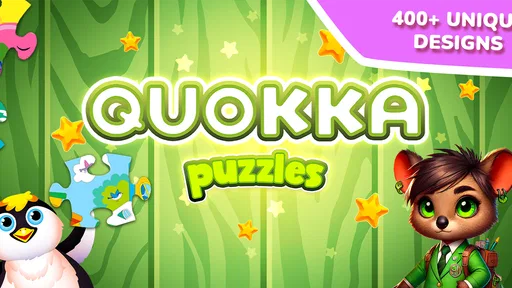
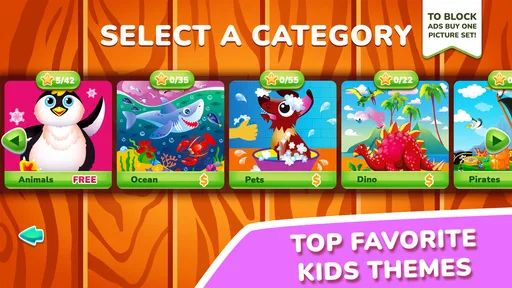
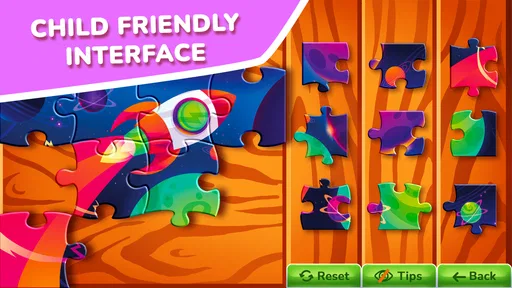
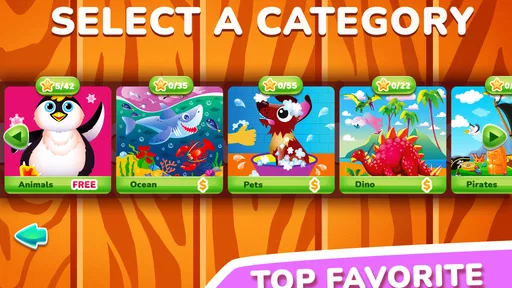
Our Review of Jigsaw Puzzle Games for Kids
 Analysis by Appyee
Jigsaw Puzzle Games for Kids is the kind of educational game I would keep ready for a quiet moment with a young child rather than treat as a complete learning program. Its main activity is simple: children assemble picture-based jigsaw puzzles, using recognition, matching, and patience to complete each image. That straightforward design is also its biggest strength. A child can understand the goal quickly, and an adult does not need to explain a complicated control scheme before play begins.
I found the game most appealing for preschool and early-learning situations where the child enjoys pictures and hands-on problem solving. It is free to start, rated for Everyone, and developed by QUOKKA Kids Learning Games and Puzzles for Toddler. The store’s short description is simply “Jigsaw Puzzle,” but in practice the educational value comes from how the child studies an image, tests possibilities, notices shapes, and gradually learns to work without constant help.
The game has reached over 100 thousand installs and holds a 4.4 average from around 200 ratings, which gives it a reasonably positive public reception without making it seem like a universal fit. I would recommend trying it with a child for a few sessions before deciding whether its puzzle style matches their attention span. Some children will enjoy the calm repetition; others will want more variety, stronger rewards, or a clearer sense of adventure.
How the first goals make the game approachable
The early goal is immediately understandable: complete the picture. That matters with very young players, because a puzzle game can lose its appeal if the child must first learn menus, points, timers, or several different rules. Here, the visual target does most of the teaching. The child can look at the unfinished image and understand what “done” should feel like.
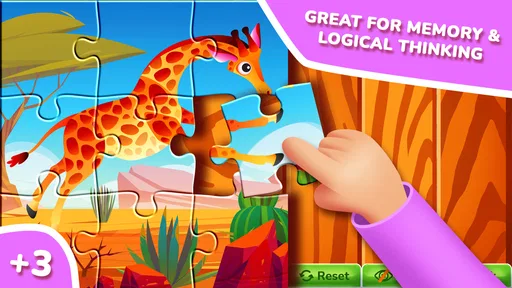
When I introduce a game like this to a child, I prefer to let the child attempt the first pieces rather than solve them on their behalf. The useful moment is not only the completed picture. It is the process of turning a vague collection of pieces into a recognizable object or scene. I can ask questions such as “Which piece has the same color?” or “Where might this corner belong?” without taking control away from the player.
That makes the game suitable for short shared sessions. A parent, teacher, or older sibling can sit nearby and encourage observation without turning the activity into a lesson with right and wrong answers shouted from the side. The child gets a clear objective, while the adult can quietly support vocabulary, color recognition, shape awareness, and visual memory.
The beautifully designed learning pictures are important here, but I would not confuse attractive artwork with deep instruction. The game’s educational benefit is strongest when the adult talks about what appears in the picture or helps the child explain a choice. Left entirely alone, it is primarily a puzzle activity. Used with conversation, it becomes a small opportunity for language and reasoning practice.
One practical tip is to begin when the child is alert, not when they are already tired or frustrated. A simple puzzle can still feel difficult if the player is hungry, distracted, or rushing toward another activity. I also found that asking the child to find an edge or a distinctive color is more useful than pointing directly to the correct location. That approach turns assistance into a strategy the child can reuse.
What progress feels like during ordinary play
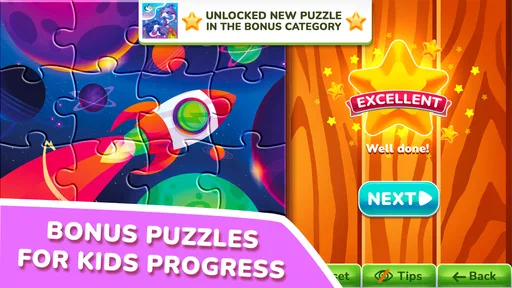
The clearest progress signal is the picture taking shape. Every correctly placed piece reduces uncertainty, so the child can see that their choices are working even without a complex score system. For a young player, that visible change can be more meaningful than a number. The unfinished image becomes a quiet reminder of the goal and helps maintain attention.
Completed pictures also create natural stopping points. This is valuable in a family setting because I can say, “Let’s finish this one, then we’ll put the device away,” instead of relying on an arbitrary timer or trying to interrupt the child in the middle of a challenge. The completed image gives the session a beginning, middle, and end that a child can understand.
At the same time, picture completion is a limited form of progression. Children who need frequent celebrations, collectible rewards, or a visible map of advancement may find the experience less exciting than a larger educational platform. The game’s appeal depends more on the satisfaction of solving each puzzle than on a long-term reward loop.
This is where the game’s pacing deserves a balanced view. It can be pleasantly calm for children who like to focus, but calm can also become repetitive. If a child completes several puzzles and asks what else they can do, that is a useful signal rather than a failure. I would switch to another activity instead of pushing for a longer session. The game works better as one tool in a rotation than as the only screen-based activity.
For independent play, I would watch the first few attempts. The important question is not whether the child can finish immediately, but whether they understand why a piece belongs in a particular place. If they are repeatedly tapping at random, I would pause and model one example, then let them continue. This keeps the game from becoming blind trial and error.
Difficulty, frustration, and the right kind of challenge
A good children’s puzzle should create small moments of uncertainty without making the child feel defeated. This game’s basic format naturally supports that balance: the image offers clues, while the pieces require attention. A child can use color, outlines, and the picture’s subject to make an educated guess. That is a gentler challenge than a quiz where an incorrect answer can feel like a public mistake.
Still, puzzle difficulty is personal. A child who already enjoys jigsaws may move through familiar images quickly and look for a stronger challenge. Another child may need an adult to narrow the choices or explain how to begin. I would not judge the game solely by how long a puzzle keeps a child occupied. The better measure is whether the child is making observations and becoming more confident with each attempt.
There is also a useful distinction between productive struggle and unnecessary friction. Productive struggle happens when the child has enough information to reason toward a solution. Unnecessary friction happens when the interface, piece arrangement, or visual detail gets in the way of understanding. If a child becomes upset, I would first check whether they are tired and then simplify the task verbally rather than immediately completing it for them.
One of my favorite ways to use this type of game is as a calm transition. After a noisy play session, a short puzzle can help a child slow down. Before leaving the house, it can occupy a few spare minutes without demanding a full story or complicated setup. The trade-off is that it is not ideal when the child needs energetic movement, social interaction, or a highly varied lesson.
The minimum operating requirement is Android 6.0, and the current version is 1.3.1. For a family choosing whether an older Android device can handle it, that requirement is useful to check before installation. I would also test the game on the actual device the child will use, because screen size and touch accuracy can affect how comfortable puzzle placement feels, especially for smaller fingers.
Where unlocks and retention help, and where they do not
The game’s strongest retention tool is the desire to see another picture completed. That is a healthy kind of motivation when the child chooses to continue because the activity remains enjoyable. The next puzzle offers a modest short-term goal, while the visible result of the current puzzle supplies immediate feedback.
However, parents should understand the difference between gentle engagement and a substantial progression system. I would not choose this game expecting the layered goals found in a large children’s learning platform, adventure game, or subscription-based curriculum. Its loop is closer to “select a puzzle, solve it, enjoy the finished image, and decide whether to continue.” That simplicity can be reassuring, but it may not sustain every child for long periods.
The game is free, with in-app purchases ranging from $0.99 to $29.99 per item. I would make the purchasing decision with the child’s habits in mind rather than assuming that free installation means the entire experience will remain free. Before handing over the device, I would review the purchase controls available on the device and explain that tapping attractive content does not automatically mean it should be bought.
This is also one reason I prefer guided use for younger children. A child may understand the puzzle goal but not the meaning of a purchase screen. Keeping the first sessions supervised lets the adult see how the game presents its available content and prevents confusion. The price range makes the game accessible to try, but families should still treat optional spending as part of the setup conversation.
Compared with physical jigsaw puzzles, the app is cleaner and easier to carry. There are no loose pieces under the sofa, and a finished image can be reached without occupying a table. Physical puzzles still offer tactile feedback, shared face-to-face play, and a break from the screen, so I would not replace them completely. I see this game as a convenient digital companion, especially for travel or a short waiting period.
Compared with broad educational apps, this one is narrower. A larger learning suite may offer letters, numbers, stories, drawing, music, and several types of rewards. That breadth can be better for families seeking one app with many lessons. On the other hand, the narrower focus can be an advantage when a child specifically needs practice with visual matching and persistence without being distracted by unrelated mini-games.
Who will enjoy it most in everyday use
I think the best fit is a young child who likes pictures, can follow a simple visual objective, and benefits from repeating an activity at their own pace. It is also a sensible choice for an adult who wants an uncomplicated puzzle to introduce during a short supervised session. The Everyone rating makes it broadly suitable from a content perspective, although suitability still depends on the individual child’s motor control and patience.
Consider a realistic afternoon scenario. A parent is preparing dinner, and the child wants to use the tablet. Instead of opening a fast-paced game, the parent starts a puzzle and stays nearby for the first few minutes. The child identifies a corner, compares colors, and asks for help with a difficult piece. After finishing, the parent asks the child to describe the picture, then ends the session at the natural completion point. That is a modest use case, but it shows where the game earns its place: focused, quiet, and easy to discuss.
I would skip it if the child becomes frustrated by repeated visual searching, expects character-led stories, or needs strong audio guidance to understand what to do. I would also look elsewhere if the main goal is structured literacy or numeracy instruction. The puzzle format can support general thinking skills, but it should not be presented as a substitute for teaching letters, reading, counting, or broader developmental activities.
Another group that may want a different option is older children who already solve jigsaws confidently. They may appreciate the artwork but quickly outgrow the challenge. In that case, a physical puzzle with more pieces or a game with adjustable difficulty could offer a better sense of achievement. Choosing the right level matters more than keeping a child inside one app.
For parents wondering whether the game works without constant adult involvement, my answer is conditional. The basic objective is easy enough for many children to understand, but younger players may still need help with touch placement, attention, or frustration. I would treat it as capable of short independent periods after an introduction, not as an automatic babysitter.
My verdict on the progression and pacing
After weighing the early goals, visible completion feedback, difficulty, and purchase structure, I see Jigsaw Puzzle Games for Kids as a focused educational puzzle rather than a deep progression game. Its pacing is at its best when the child wants a quiet challenge and the adult values a clear endpoint. The game does not need elaborate unlocks to make one picture satisfying, but its limited loop may not hold attention across long sessions.
The most useful way to approach it is as a short, repeatable activity with an adult nearby when needed. Let the child try first, offer clues instead of answers, discuss the finished image, and stop when concentration fades. That workflow extracts more educational value than simply letting the child tap until a picture appears.
The developer, QUOKKA Kids Learning Games and Puzzles for Toddler, has chosen a format that is easy to understand and friendly to children who are beginning to work through visual problems. The free entry point makes experimentation practical, while the optional purchases mean adults should manage the device rather than leave spending decisions to a young player.
My final recommendation is positive but specific. I would install Jigsaw Puzzle Games for Kids for a preschool-age child who enjoys picture puzzles and needs a calm digital activity. I would not choose it as the family’s only educational game, nor would I promise that its progression will satisfy children looking for constant rewards or increasing complexity.
In the right setting, the game succeeds because it keeps the goal visible and the challenge understandable. A child sees a picture, works out where the pieces belong, and experiences a small but genuine sense of accomplishment. That is not a complete learning journey, but it is a useful building block for patience, observation, and independent problem solving.
Verdict
Strengths of Jigsaw Puzzle Games for Kids
- Bright, child-friendly artwork keeps younger players engaged.
- Simple touch controls are easy for children to learn.
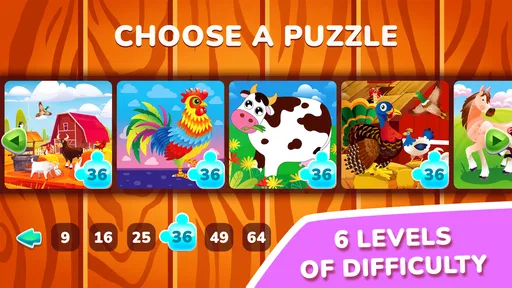
- Multiple difficulty levels support gradual skill development.
- Offline play makes it suitable for travel and quiet time.
- Puzzles can help improve focus, matching, and visual recognition.
Limitations of Jigsaw Puzzle Games for Kids
- Some puzzles may feel repetitive after extended play.
- Ads could interrupt gameplay in the free version.
- Younger children may need help with the hardest puzzles.
- Limited customization may reduce long-term interest.
- In-app purchases could require parental supervision.
Similar Picks in This Category
View All
Little Panda Policeman
BabyBus4.0

Monster Trucks Game for Kids 2
Raz Games4.1

Little Panda's Chinese Recipes
BabyBus4.4

Little Panda's Restaurant
BabyBus4.4

Little Panda's Ice Cream Games
BabyBus4.3

Baby Panda Care
BabyBus3.8
Frequently Asked Questions
What is Jigsaw Puzzle Games for Kids?
Jigsaw Puzzle Games for Kids is a colorful puzzle app designed to help children enjoy age-appropriate jigsaw activities on a phone or tablet. It typically offers illustrated pictures that children can complete by dragging pieces into the correct positions. The game focuses on simple controls, visual recognition, concentration, and problem-solving rather than fast action or complicated rules.
Is Jigsaw Puzzle Games for Kids suitable for different age groups?
The app is mainly intended for young children, but the best experience depends on the available puzzle difficulty and piece count. Beginners can start with simpler images and fewer, larger pieces, while older children may prefer more challenging layouts. Parents should check the recommended age rating and try a few puzzles to determine whether the content and difficulty are appropriate.
Does the game require an internet connection?
Many children’s jigsaw puzzle apps allow at least some puzzles to be played offline after installation, which is useful during travel or when Wi-Fi is unavailable. However, advertisements, additional puzzle packs, updates, or certain online features may require an internet connection. Before downloading, it is worth checking the store description and testing the app in airplane mode.
Are there advertisements or in-app purchases?
Depending on the version and platform, Jigsaw Puzzle Games for Kids may include advertisements, optional purchases, or premium content. Ads can sometimes interrupt play or display content that parents may not consider suitable for children. We recommend reviewing the app’s store listing, purchase settings, and privacy information, and enabling parental controls to help prevent accidental purchases.
What educational benefits can children get from playing?
Completing jigsaw puzzles can support several early-learning skills, including concentration, visual matching, hand-eye coordination, patience, and basic problem-solving. Children also practice recognizing shapes, colors, and relationships between parts and a whole. The app should be viewed as a recreational learning tool rather than a complete educational program, and younger children may benefit from playing with adult guidance.
Play our best games!


